






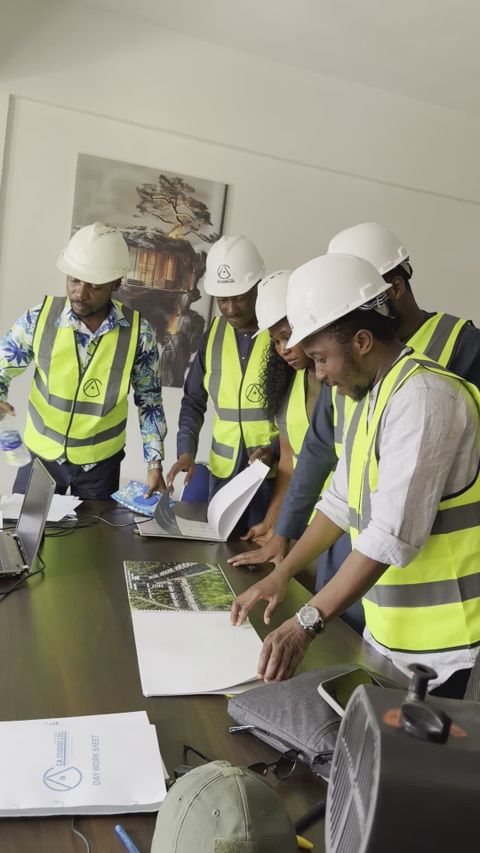



A typical commercial construction project generates tens of thousands of photographs during its lifecycle. Progress photos. Quality inspection photos. Safety documentation photos. Problem documentation photos. Photos taken by the superintendent to remember where that conduit was routed before the drywall went up.
Most of these photos end up in a folder structure that makes sense to the person who organized it and nobody else. Finding a specific photo from three months ago requires remembering approximately when it was taken, what it showed, and which folder it might be in. On a project where multiple people are taking photos on multiple devices, the filing is often inconsistent or nonexistent.
The Photo Organization Problem
Quality control photography has a specific organizational challenge: each photo needs to be associated with a location, a trade, a building system, a date, and often a specific deficiency or inspection item. When a quality inspector photographs a waterproofing deficiency on the third floor east elevation, that photo needs to be retrievable by any of those attributes: by the specific deficiency report, by the third floor, by the east elevation, by the waterproofing trade, or by the date of the inspection.
Manual tagging and filing of this volume of photographs is not realistic. Even if people start the project with good intentions about photo organization, the system breaks down within weeks as the pace of construction accelerates and the photo volume increases.
How AI Organizes Construction Photos
AI photo organization works on several levels. At the most basic level, computer vision identifies what is in each photograph: concrete work, steel framing, electrical rough-in, plumbing, ductwork, exterior cladding, and so on. This classification happens automatically as photos are uploaded, without requiring the photographer to manually tag each image.
Location tagging uses GPS data from the camera or phone, combined with the building's BIM model, to place each photo in a specific location within the project. The AI matches the GPS coordinates and the visual content of the photo against the building model to determine not just which building and which floor, but which room or area the photo shows.
Temporal organization is automatic based on the photo metadata, but the AI adds context by correlating the photo date with the project schedule to identify which construction activities were underway when the photo was taken. A photo from March 15 in Zone A is automatically associated with the mechanical rough-in activity that the schedule shows was in progress in that area on that date.
Deficiency Detection and Tracking
AI can go beyond organization to actually identify potential deficiencies in photographs. Common quality issues like cracked concrete, misaligned framing, incomplete fireproofing, and improper flashing installation have visual signatures that trained AI models can detect.
When the AI identifies a potential deficiency, it creates a deficiency record linked to the photograph, the location, and the responsible trade. The quality team reviews the AI-flagged items and confirms or dismisses each one. Confirmed deficiencies enter the tracking workflow with the supporting photograph already attached and filed.
This automated deficiency detection supplements rather than replaces human inspection. The quality inspector still walks the site and identifies issues. But the AI catches things in photographs that the inspector might not have been looking for, or that became apparent in a photo but were not obvious during the physical walk-through.
Search and Retrieval
The practical value of AI-organized photos is in retrieval. When you need to find all photos showing the waterproofing installation on the third floor, the AI returns every relevant image regardless of who took it, when they took it, or how they filed it. When a warranty claim requires documentation of the original installation, you can find those photos in seconds rather than spending hours searching through folders.
The search capability extends to visual similarity. If you have a photo of a deficiency and want to find similar conditions elsewhere in the building, the AI can search for visually similar photos across the entire project library. This is useful for identifying systemic quality issues that might appear in multiple locations.
Integration With Quality Workflows
AI photo organization integrates with broader quality management workflows. Inspection checklists link to the photos taken during each inspection. Deficiency reports include all related photographs automatically. Closeout documentation pulls the relevant progress and quality photos without requiring manual assembly.
For the project owner, the organized photo library provides a visual record of construction that is accessible and searchable long after the project is complete. When a facility issue arises years later, the maintenance team can search the construction photo archive to see how the affected area was built, what was inspected, and what documentation exists about that specific location.
Construction firms looking to bring order to their project photography can explore how AI-powered documentation tools for construction transform disorganized photo libraries into structured, searchable project records.
The Documentation Payoff
Organized quality photography pays for itself during closeout, during warranty periods, and during any dispute about the quality or completeness of the work. But the day-to-day benefit is simpler: when someone asks "do we have photos of that?" the answer changes from "probably, let me look" to "yes, here they are." That confidence in your documentation quality is worth more than most people realize until they need it and do not have it.